← Index fig. 7
YOLO Object Detection Model
YOLOv1 rebuilt in PyTorch, from a first run that detected nothing to one that works
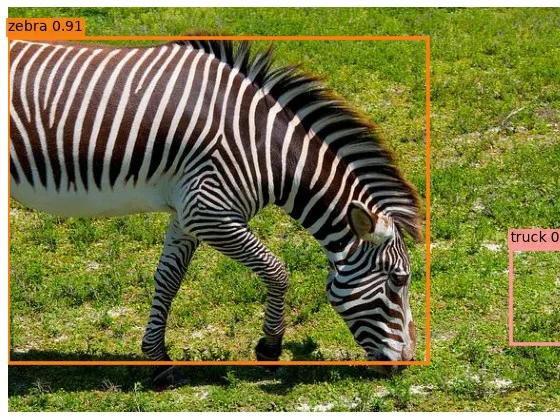
YOLO (“You Only Look Once”) was the paper that made object detection fast: one pass through one network, and out come all the boxes. I’d trained classifiers by then, and a classifier only has to say what is in a picture. A detector has to say what, where and how many, all at once. I wanted to know how a single network pulls that off, so I built the original 2016 version from the paper.
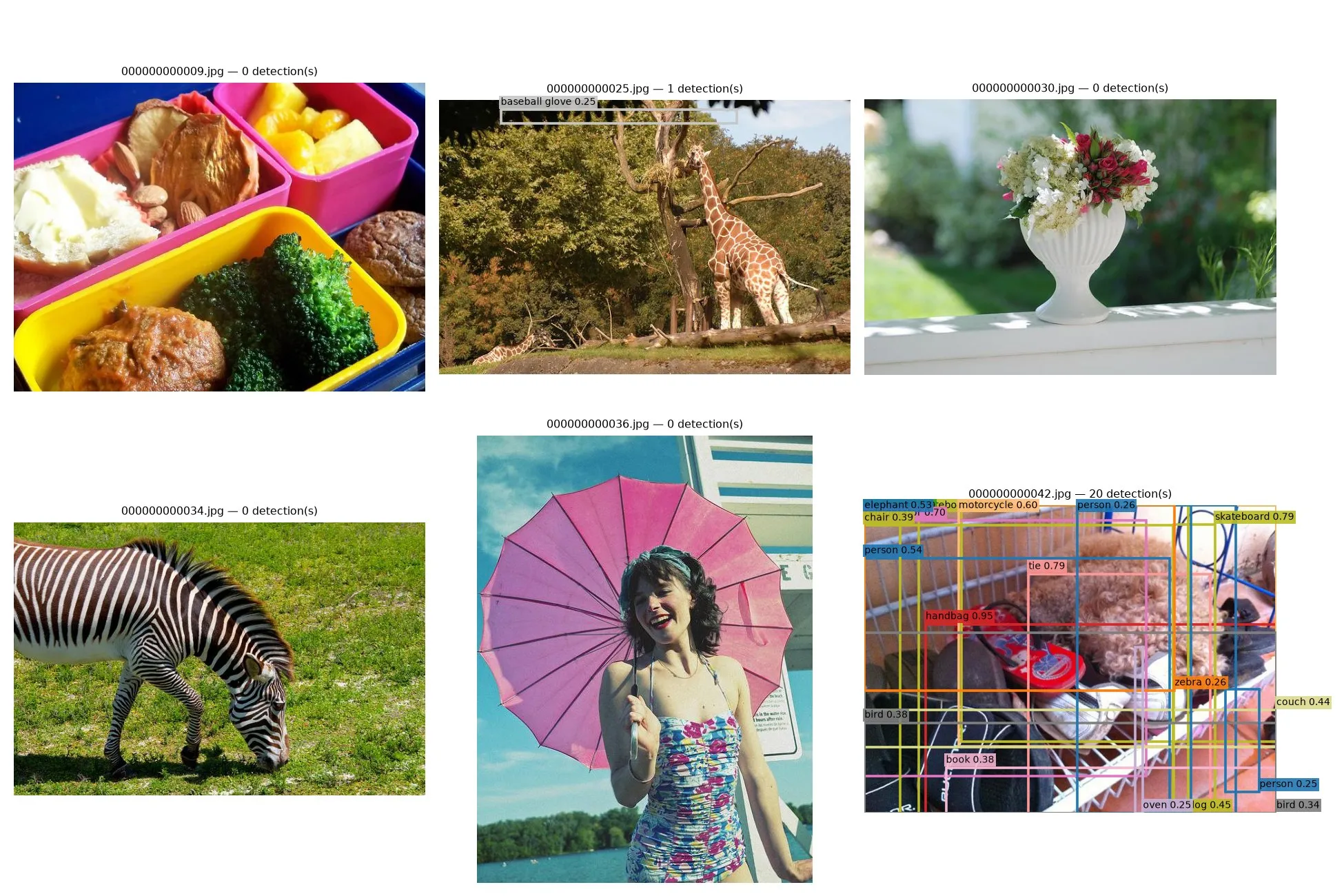
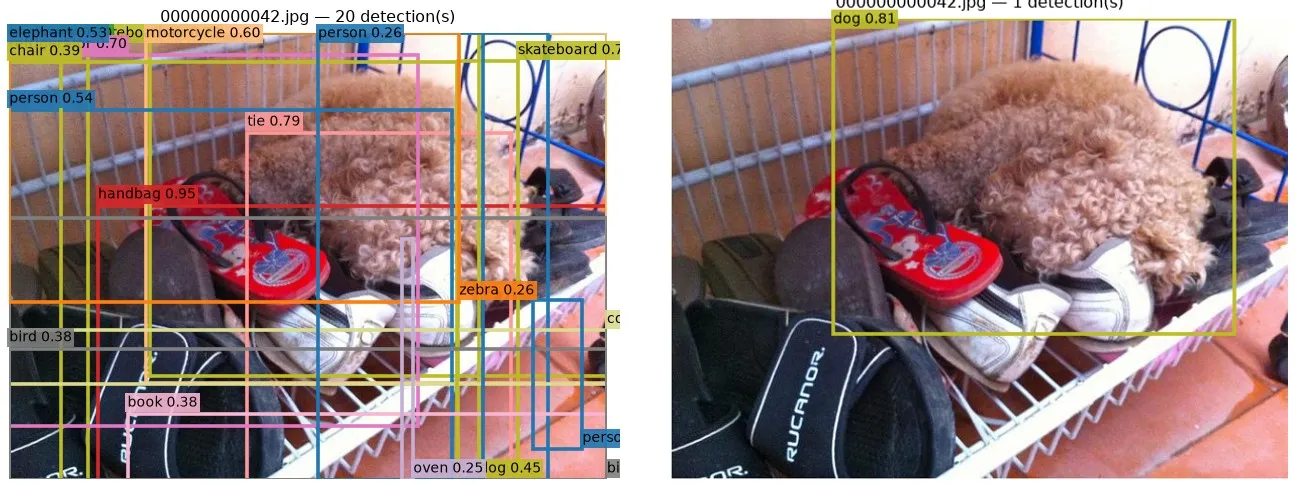
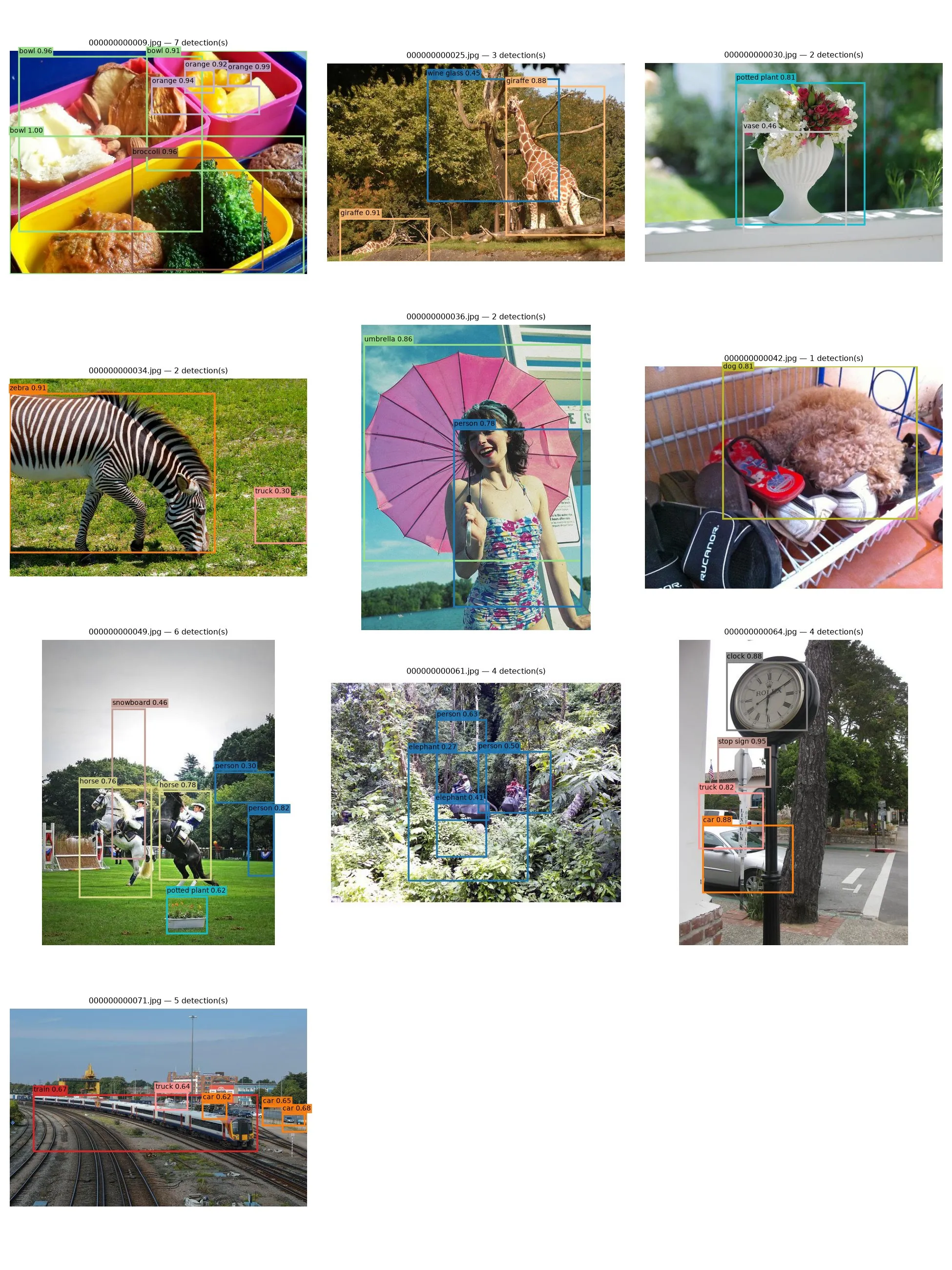
TLDR: YOLOv1 in PyTorch: a 24-layer convolutional backbone, a 7×7 grid, two boxes per cell, and the paper’s sum-of-squares loss. My first full run (Aug 4) found nothing in five of six test images and drew twenty junk boxes on the sixth. Three days and a lot of debugging later, it labels zebras, giraffes, clocks and trains correctly. It’s trained on COCO128, a 128-image sample of COCO, so think of it as proof that the pipeline works end to end.
How YOLO sees an image
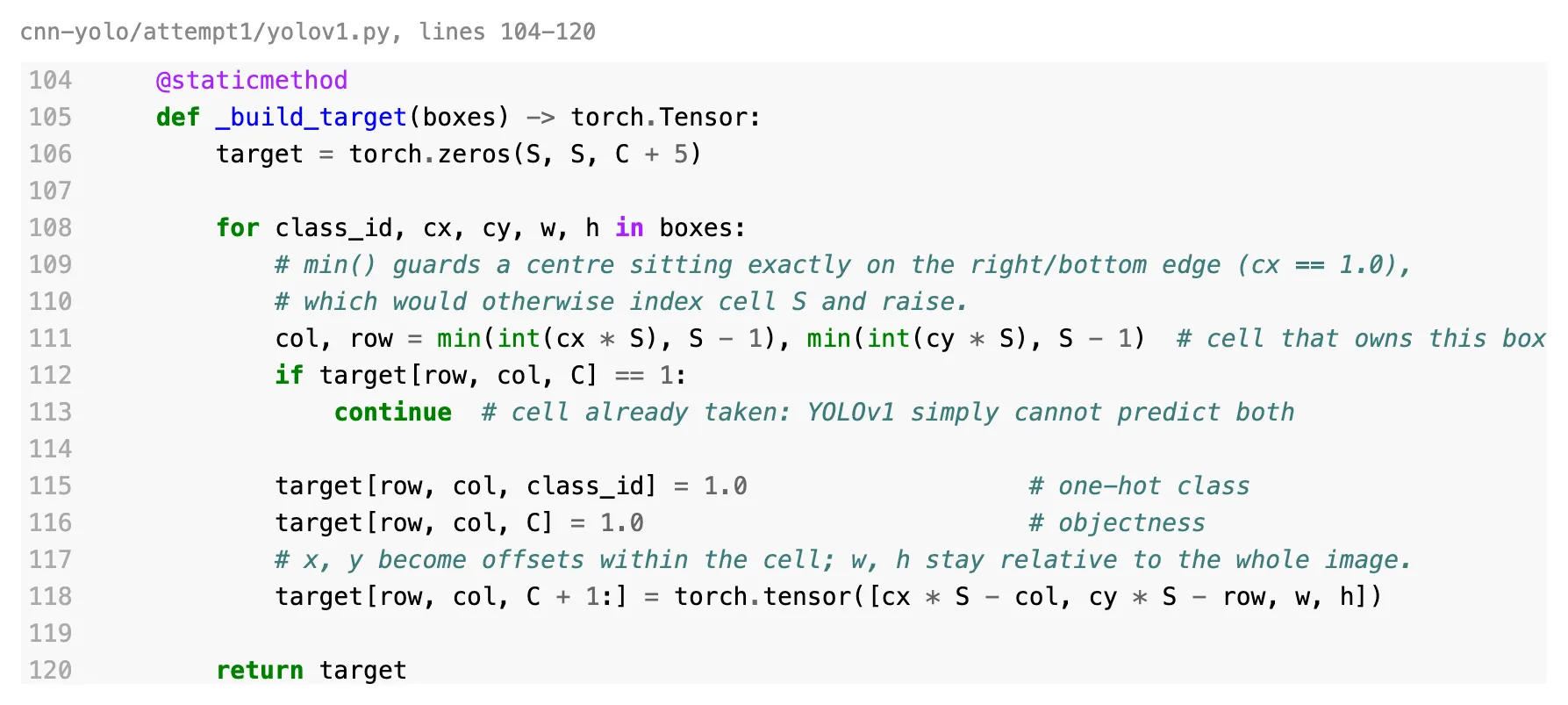
The image gets cut into a 7×7 grid. Each object belongs to exactly one cell: the one its centre falls in. That cell has to predict the box (as an offset inside the cell, plus a width and height relative to the whole image) and the class.
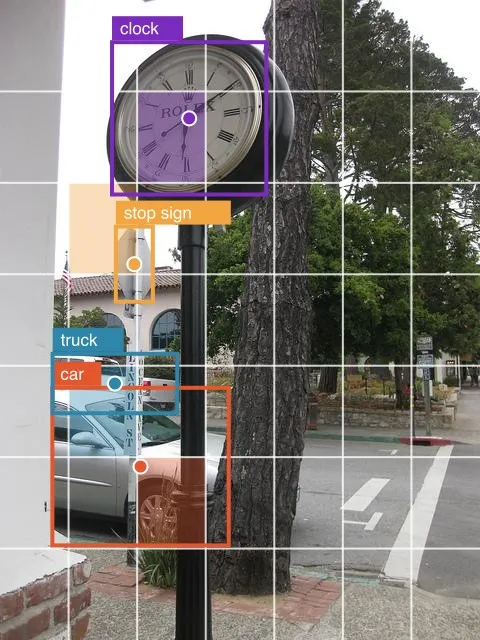
That rule has a funny side effect. If two objects have their centres in the same cell, YOLOv1 can only learn one of them. The code just skips the second.
The loss
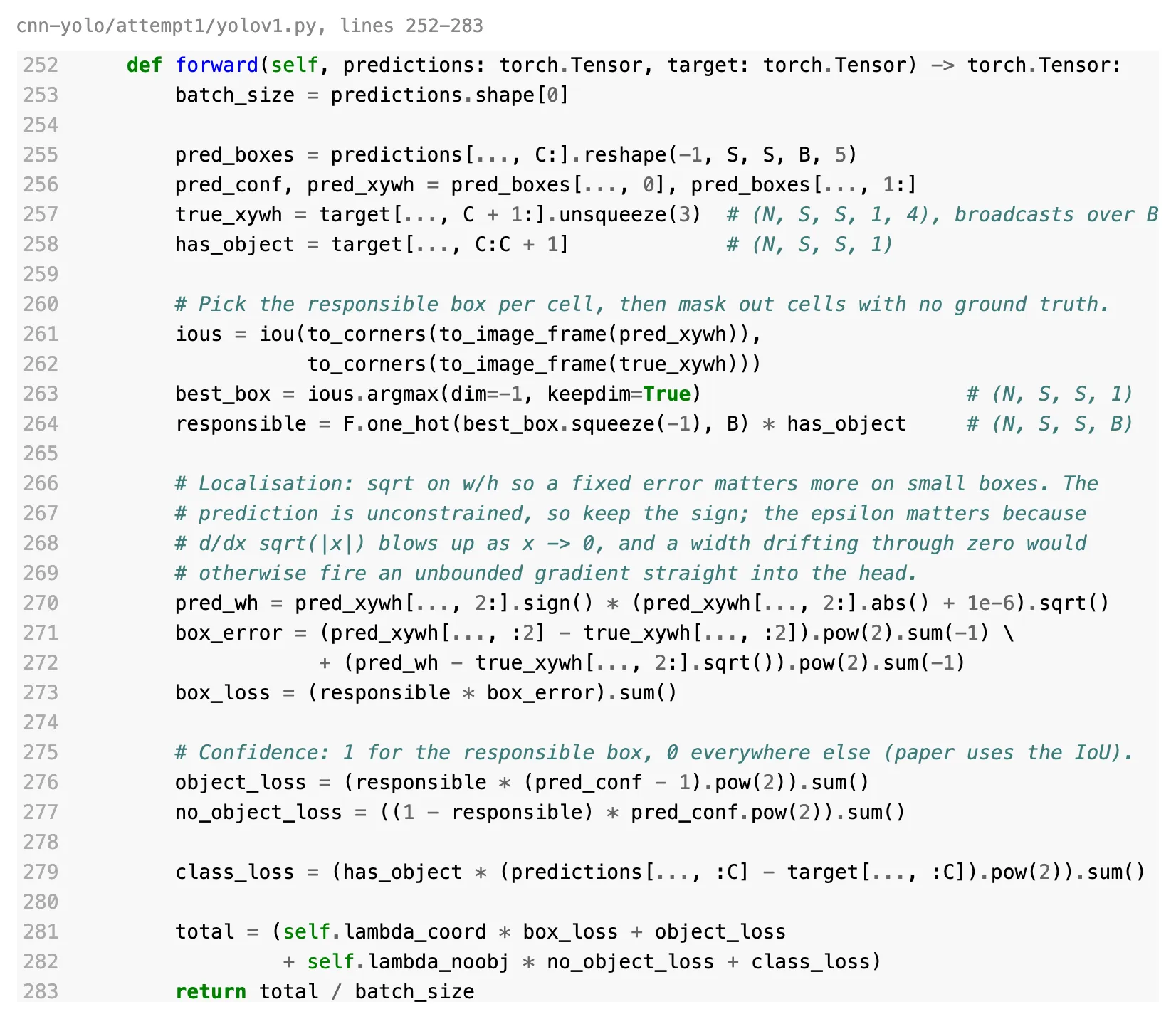
The loss is where most of the paper lives. Each cell predicts two boxes, but only the one that overlaps the real object best is “responsible” for it. That box gets pushed toward the right position and size; the other one only gets told it should be less confident. Widths and heights go through a square root first, so being 10 pixels off on a small box hurts more than on a big one.
The first run
On August 4 I trained it, ran it on six images, and got this.
Nothing looks wrong when you read the code, but it took five separate fixes to get it working.
Not enough training. 128 images at batch size 8 is 16 steps per epoch. Fifty epochs is 800 updates, for a network with 284 million weights. I tripled it.
The head was most of the network. The paper’s final fully connected layer maps 50,176 features to 4,096. That one layer is 224M of the 284M weights: 80% of the model trying to memorise 128 pictures. Shrinking it to 1,024 and dropping the dropout made it converge.
Negative boxes. The network’s outputs aren’t constrained, so early on it happily predicts boxes with negative width. Non-maximum suppression, the step that removes duplicate boxes, treats those as having negative area and never removes them. That’s where the twenty-box pile came from. Clamping widths at zero, and dropping empty boxes, fixed it.
A square root at zero. The square root on box size has an infinite slope at zero. Any width that drifted through zero sent a huge gradient straight into the head. A tiny epsilon under the root, plus gradient clipping, stopped the blowups.
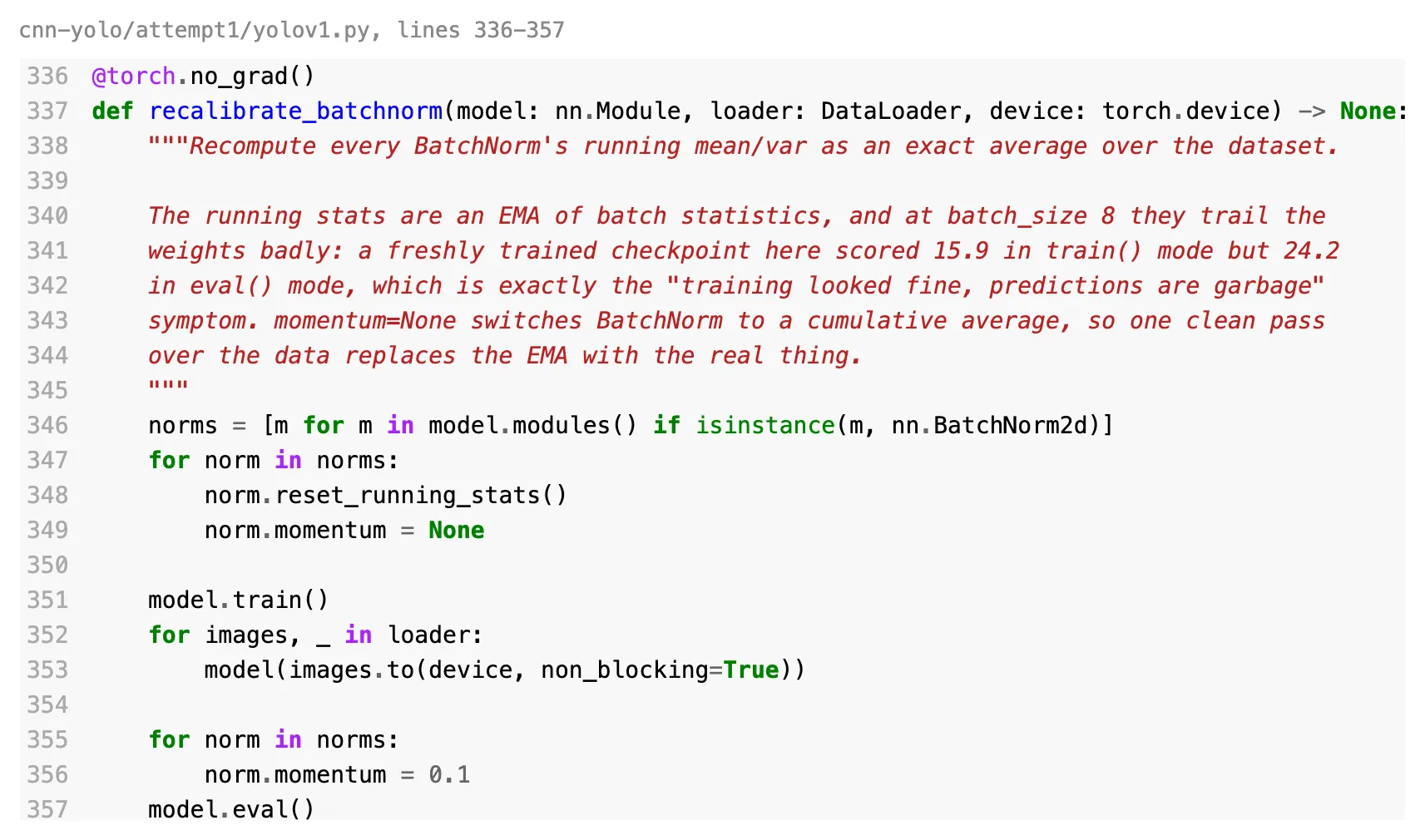
BatchNorm lying about its stats. This was the sneaky one. The model scored a loss of 15.9 in training mode and 24.2 in evaluation mode, same weights, same data. BatchNorm keeps a running average of its statistics during training, and at batch size 8 that average lags far behind the weights. So training looked fine and predictions were garbage. The fix is one extra pass over the data at the end to recompute the averages exactly.
The working run
Same six images (plus four more), August 7.
What’s next
Train on real data. With a pretrained backbone and full COCO instead of 128 images, the bigger head and the dropout from the paper should come back. YOLOv2’s anchor boxes are the fix for the one-object-per-cell limit, so that’s the natural next step.